Slide 5 of 6 from 5-Step Ladder Infographic PowerPoint Template
5-Step Ladder Infographic PPT Slide Template
5-Step Ladder Diagram for Presentations
- Diagram
- Ladder
- Process Slide
- 16:9
- 100% Editable
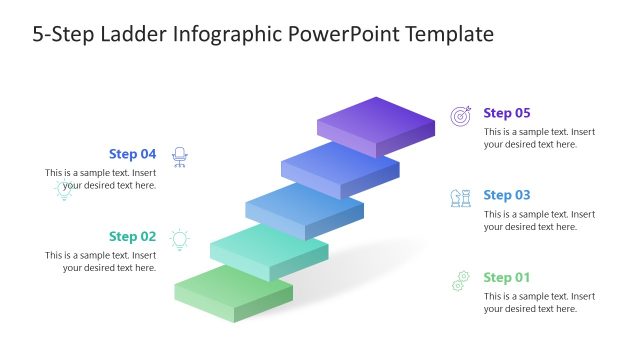
The 5-Step Ladder Diagram slide from the 5-Step Ladder Infographic PowerPoint Template offers a clear visual progression ideal for illustrating project phases or strategic steps. This slide layout uses editable shapes and vector icons to enhance understanding in business presentations or training processes, making it a practical choice within professional slide templates.
What’s on This Slide
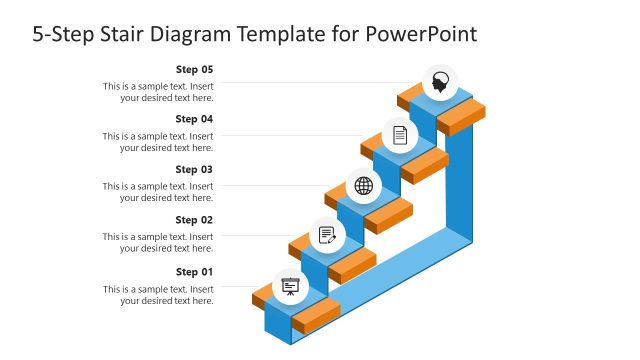
The slide features a 3D ladder diagram with five steps arranged vertically. The steps are rectangular shapes, with the fourth step highlighted in blue. Each step has a corresponding label on the left, with icons representing each step. Text placeholders are aligned next to each step, allowing for descriptions. The top of the slide contains a title area, while the background is a light color. The overall layout emphasizes the progression through the steps, creating a clear visual hierarchy.
How to Use It
This layout serves as a sequential diagram to illustrate a five-step process or concept. It is suitable for presentations that require a clear depiction of stages, such as project phases or strategic steps. This slide fits well after an introductory slide and can be used in business contexts to outline methodologies or workflows. It is effective for training sessions, strategy meetings, or project updates, where clarity in progression is essential.
Text Placeholders & Capacity
Keep your copy within these limits so it fits without resizing. Node body slots can hold approximately 10-12 words each.
| Placeholder | Count | Max characters (approx.) |
|---|---|---|
| Slide title | 1 | 30 |
| Item heading | 5 | 20 |
| Item body | 5 | 50 |
Slide Keywords
Download unlimited PowerPoint templates, charts and graphics for your presentations with our annual plan.
DOWNLOAD