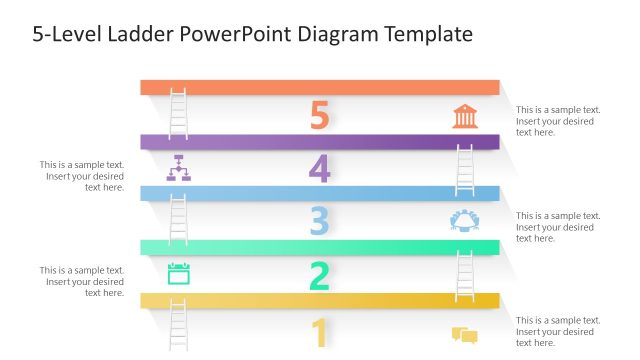
Slide 6 of 6 from 5 Level Vertical Ladder PowerPoint Diagram
Editable 5 Level Vertical Ladder Template
5-Level Ladder Diagram for Presentations
- Diagram
- Ladder
- Process Slide
- 16:9
- 100% Editable
The 5-Level Ladder Diagram slide from the 5 Level Vertical Ladder PowerPoint Diagram template offers a clear visual structure for presenting multi-step processes or strategic goals. This slide layout uses editable shapes and vector icons to enhance clarity, making it suitable for business presentations or training sessions that require detailed depiction of project phases or hierarchical steps within a corporate presentation slide deck.
What’s on This Slide
The layout features five horizontal levels arranged vertically, each with a distinct color. The top level is highlighted in orange, indicating the highest point. Each level contains a text placeholder aligned to the left, with an accompanying icon positioned to the right. The icons include a building, a gear, and a calendar, among others. The background is white, providing contrast to the gray levels. Each level is separated by subtle shadows, enhancing depth. Text placeholders are evenly spaced, allowing for clear visibility and organization.
How to Use It
This layout serves as a structured representation of a five-step process or hierarchy. It is suitable for illustrating progression or stages in a business context, such as project phases or strategic goals. This diagram fits well in a presentation sequence following an introduction or problem statement, leading into detailed explanations of each step. It can be used in training sessions, project management discussions, or strategic planning meetings to visualize advancement.
Text Placeholders & Capacity
Keep your copy within these limits so it fits without resizing. Node labels can hold up to 20 characters each, while node bodies can accommodate around 50 characters.
| Placeholder | Count | Max characters (approx.) |
|---|---|---|
| Item heading | 5 | 20 |
| Item body | 5 | 50 |
Slide Keywords
Download unlimited PowerPoint templates, charts and graphics for your presentations with our annual plan.
DOWNLOADReturn to 5 Level Vertical Ladder PowerPoint Diagram.