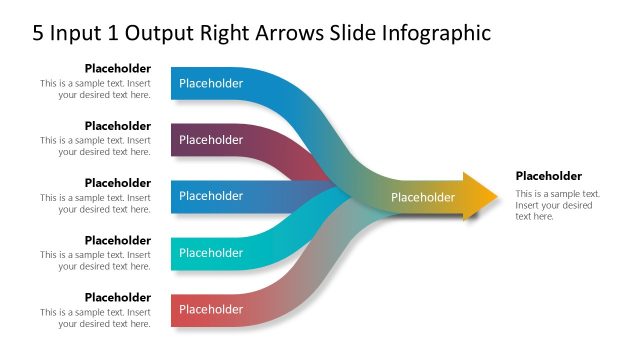
Slide 3 of 6 from 5 Input 1 Output Right Arrows Slide PowerPoint Template
Engaging 5 Input 1 Output Right Arrows Template
5 Input 1 Output Right Arrows Slide Infographic
- Diagram
- Arrow Sequence
- Process Slide
- 16:9
- 100% Editable
The 5 Input 1 Output Diagram slide from the 5 Input 1 Output Right Arrows Slide PowerPoint Template offers a clear process mapping layout ideal for business presentations. This slide template uses editable shapes and vector icons to illustrate how multiple inputs converge into a single output, supporting workflow illustration and project planning in corporate presentations or pitch decks.
What’s on This Slide
The layout features five input arrows converging into a single output arrow, positioned centrally. Each input arrow is labeled with a placeholder text box, aligned horizontally at the top, middle, and bottom sections. The output arrow extends to the right, also containing a placeholder text box. The arrows are designed with a gradient fill, transitioning from light to dark shades. The background is a subtle gradient, enhancing the visual flow. The overall structure emphasizes the transition from multiple inputs to a single output, creating a clear visual hierarchy.
How to Use It
This layout serves as a process flow diagram, illustrating the relationship between multiple inputs leading to a single output. It is suitable for presentations that require a clear depiction of how various factors contribute to a final result. This structure fits well in a sequence following problem identification and before outlining solutions or strategies. It can be used in business contexts such as project management, product development, or workflow optimization to clarify complex processes.
Text Placeholders & Capacity
Keep your copy within these limits so it fits without resizing. Node labels can accommodate about 40 characters each, while body text can hold around 100 characters.
| Placeholder | Count | Max characters (approx.) |
|---|---|---|
| Item heading | 5 | 40 |
| Item body | 5 | 100 |
| Item heading | 1 | 40 |
| Item body | 1 | 100 |
Slide Keywords
Download unlimited PowerPoint templates, charts and graphics for your presentations with our annual plan.
DOWNLOADReturn to 5 Input 1 Output Right Arrows Slide PowerPoint Template.