Slide 2 of 2 from 4-Step Timeline Template Infographic for PowerPoint
PPT Infographic Timeline Slide Design for Presentation
4 Step Timeline Infographic Slide
- Diagram
- Arrow Sequence
- Process Slide
- 16:9
- 100% Editable
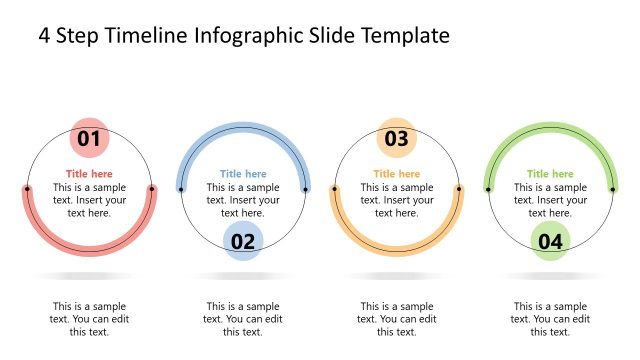
The 4 Step Timeline Infographic slide from the 4-Step Timeline Template Infographic for PowerPoint offers a clear visual process layout ideal for project timelines and strategic planning. This slide uses distinct colored nodes to represent sequential steps, enhancing communication in business presentations. Designed for ease of editing, it supports the inclusion of titles and descriptions within each step, making it a practical choice for slide decks focused on process illustration and product development.
What’s on This Slide
The layout features four circular nodes arranged in a horizontal line. Each node contains a number, a title placeholder, and a text placeholder. The nodes are colored differently, with the first in red, the second in blue, the third in orange, and the fourth in green. Each node is visually separated by space, and they are aligned at the center of the slide. The background is black, enhancing the visibility of the colored nodes. Text placeholders are centered within each node, providing a clear hierarchy.
How to Use It
This layout serves as a timeline infographic, ideal for illustrating a four-step process or sequence. It fits well in presentations that require a visual representation of progress or stages. This structure is useful in business contexts such as project management, product development, or strategic planning, where clarity and visual appeal are essential. It can effectively communicate sequential information to an audience.
Text Placeholders & Capacity
Keep your copy within these limits so it fits without resizing. Node body slots can hold roughly 15-20 words each.
| Placeholder | Count | Max characters (approx.) |
|---|---|---|
| Item heading | 4 | 30 |
| Item body | 4 | 100 |
Slide Keywords
Download unlimited PowerPoint templates, charts and graphics for your presentations with our annual plan.
DOWNLOADReturn to 4-Step Timeline Template Infographic for PowerPoint.