Slide 4 of 4 from 3 Steps Mixed PowerPoint Arrows
IDM PowerPoint Diagram 3 Arrow Steps
3 Step Mixed Arrows Process for PowerPoint
- Diagram
- Arrow Sequence
- Process Slide
- 16:9
- 100% Editable
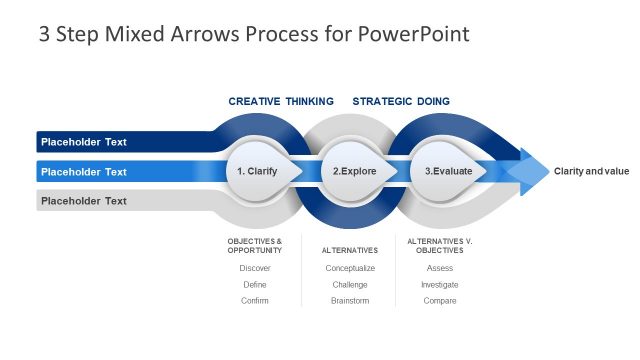
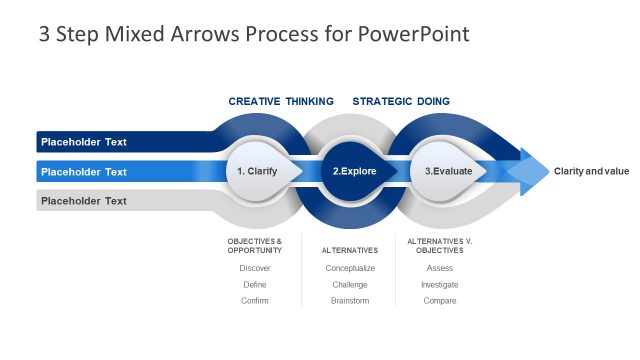
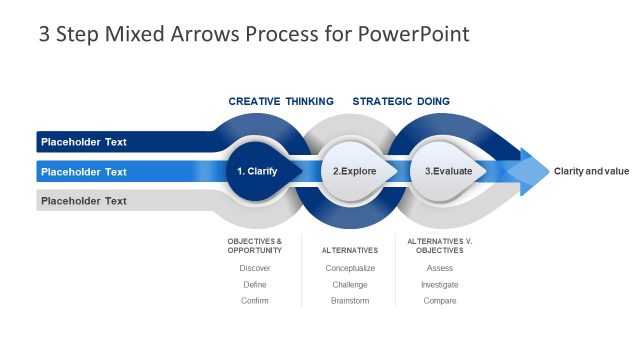
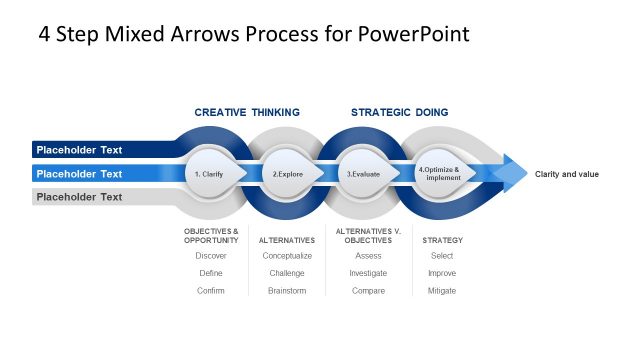
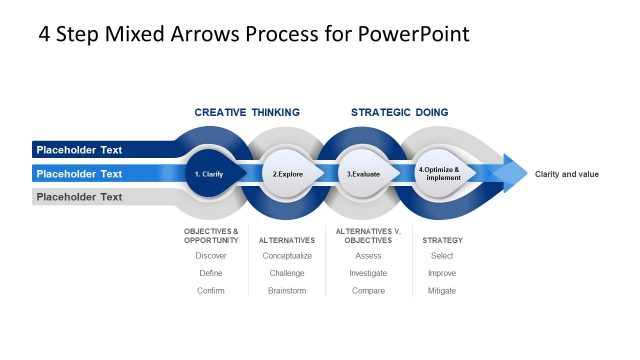
The 3 Step Mixed Arrows Process slide from the 3 Steps Mixed PowerPoint Arrows template visually represents a strategic planning workflow using three curved arrows. This diagram layout is suitable for business presentations and workshops, providing editable shapes and clear progression through Clarify, Explore, and Evaluate stages. It supports effective communication in project planning and decision-making contexts within corporate presentations or pitch deck templates.
What’s on This Slide
The layout features three curved arrows arranged horizontally, each labeled with a step: Clarify, Explore, and Evaluate. Above the arrows, there are two sections titled Creative Thinking and Strategic Doing. Below the arrows, there are two columns labeled Objectives & Opportunity and Alternatives. Each column contains placeholder text aligned to the left. The arrows are visually distinct with varying shades of blue, creating a gradient effect. Text placeholders are positioned within the arrows and below them, maintaining a clear visual hierarchy.
How to Use It
This layout serves as a process diagram, illustrating a three-step approach to strategic planning. It fits well in presentations discussing methodologies or frameworks for decision-making. Ideal scenarios include project planning sessions, strategic reviews, or workshops focused on creative problem-solving. The clear flow from one step to the next aids in understanding complex processes, making it suitable for both team discussions and client presentations.
Text Placeholders & Capacity
Keep your copy within these limits so it fits without resizing. Body slots can hold about 10-15 words each.
| Placeholder | Count | Max characters (approx.) |
|---|---|---|
| Item heading | 3 | 10 |
| Body paragraph | 4 | 50 |
| Slide title | 1 | 40 |
Slide Keywords
Download unlimited PowerPoint templates, charts and graphics for your presentations with our annual plan.
DOWNLOADReturn to 3 Steps Mixed PowerPoint Arrows.