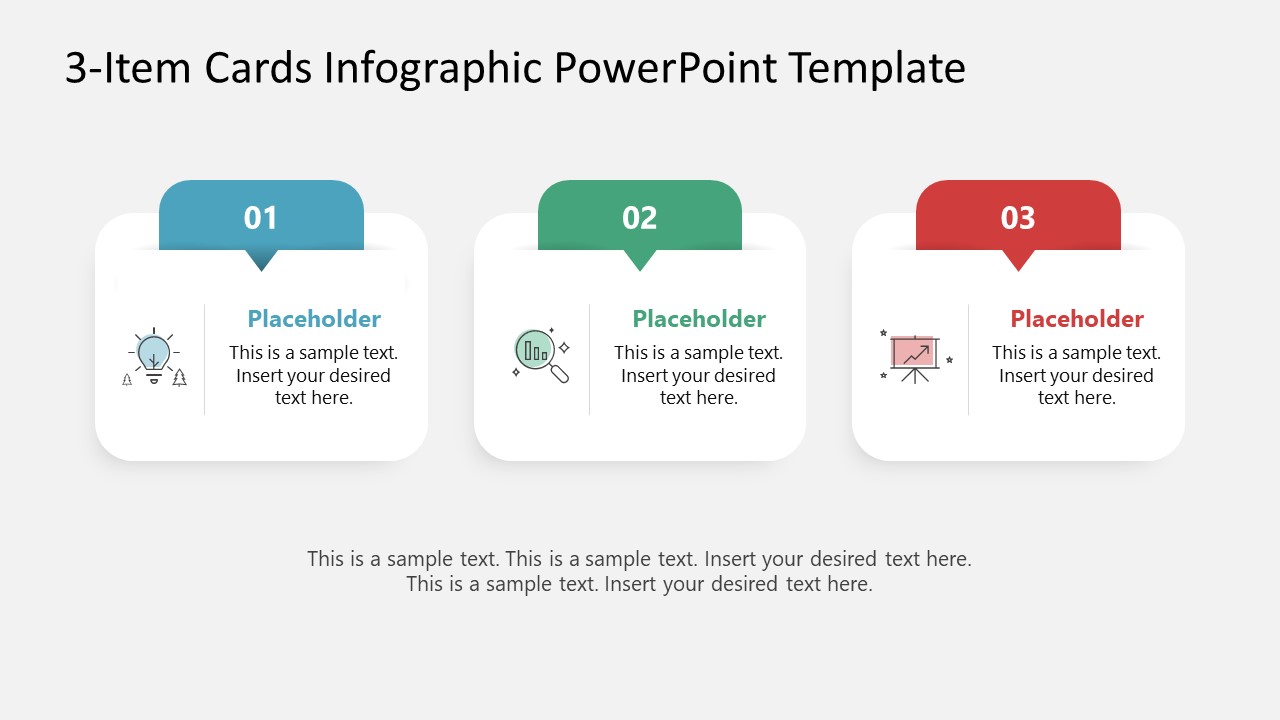
Are you looking for an interactive presentation slide to showcase key elements of your course? Or are you planning to represent your company’s core values? Then, our 3-Item Cards Infographic PowerPoint Template can be your ultimate choice. This 100% editable PPT diagram template features a unique presentation design, comprising three infographic cards that each include creative icons, text boxes, and title sections for adding presentation points. This 3-item card infographic template provides two variant slides that can be used based on the design and layout preferences. For instance, the first slide features three white cards with a top-colored label for numbers, a small section for an icon, and the remainder for text. Whereas the following slide carries relatively larger cards, i.e., the icons are also prominent. Additionally, the background color of this 3-icon PowerPoint diagram is slightly darker than the cards to make them stand out on the screen.
Professionals can edit both slides and make changes to the color and arrangement to present their topics effectively. This 3-Item Cards Infographic PowerPoint Template can be used by professionals of different domains in their presentations about:
- Course/training key points
- Pillars of company vision
- Steps of business idea implementation
- Features of a newly launched product
- Business or investment option ideas
- Strategic phases of a plan
- Real estate project launching steps
Above all these mentioned use cases, users can customize this infographic PowerPoint template for their business meetings, educational sessions, or other events. It can also help scholars and students prepare their elaborate presentations to convey their concepts in a more effective manner. In addition to changing the color and fonts, presenters can add their company logo/digital signatures to the slides. Download and try this presentation template with PowerPoint today!
What’s inside this template
Example presentation scenarios
- A trainer can use the vertical three-card layout to introduce three learning objectives, using the numbered tabs and icons to make each course point easy to recall.
- A manager can use the horizontal card infographic to present three company values or strategic priorities, adding short explanations under each numbered tab.
- A product marketer can explain three feature groups with the icon cards, assigning one benefit or audience need to each card.
- A consultant can summarize three implementation phases by replacing the placeholder headings and using the bottom note area on Slide 1 for a recommendation or next step.
Features
- 100% editable presentation template
- Compatible with Microsoft PowerPoint
- 16:9 aspect ratio slides
- Scalable vector shapes, icons and illustrations
- AI-Ready for Microsoft Copilot and Claude
- Instant access and download
Frequently asked questions
Q: How should a presenter structure the message across the three cards?
A: Use one card for one complete idea, not a long paragraph. Start each heading with a short label, then add a concise explanation underneath. Keep the three headings parallel, such as Benefit, Process, Result, or Plan, Build, Launch, so the audience understands the relationship between the items immediately.
Q: Who is this card infographic best suited for?
A: This template works best for presenters who need a clean three-part explanation without a full report structure. Trainers can show learning points, managers can introduce values or priorities, and consultants can summarize options. The card format is strongest when the three items are equally important and should be remembered together.
Q: Why does the numbered card design help communication?
A: The numbered tabs create a clear reading order while the icons give each card a visual anchor. Because the three cards have equal size, the layout avoids implying that one point dominates the others. This makes it effective for pillars, feature sets, course points, or parallel strategic phases.

3-Item Cards Infographic PowerPoint Template
2-slide presentation template with three-item cards, numbered tabs, and icon-based step layouts
The 3-Item Cards Infographic PowerPoint Template is a 2-slide diagram deck for presenting three related ideas, steps, pillars, or options. It includes a horizontal three-card layout and a vertical three-card layout with numbered color tabs, vector icons, headings, and placeholder text for Microsoft PowerPoint.
- Category
- Diagrams
- Rating

 Loading...
- Aspect ratio
- 16:9
- Item ID
- 23058-01
- Colors
 Microsoft PowerPoint
  Microsoft Copilot
  Claude for PowerPoint
 Other formats supported
Subscribe today and get immediate
access to download our PowerPoint templates.