Slide 2 of 8 from Innovative PowerPoint Themes Layouts
Checklist Template Layout for PowerPoint
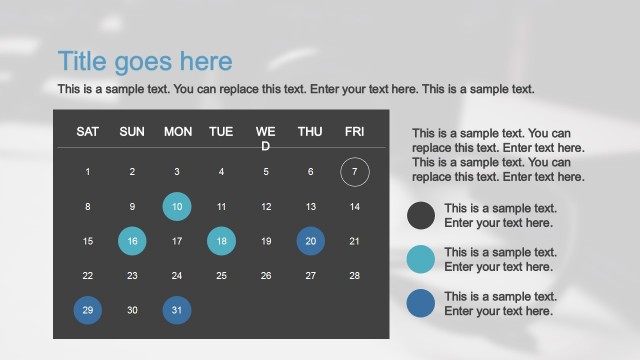
Calendar Layout with Text Placeholders
- Media Layout
- Other
- Timeline Slide
- 16:9
- 100% Editable
The Calendar Layout with Text Placeholders slide from the Innovative PowerPoint Themes Layouts template offers a clear timeline visualization ideal for project timelines and event scheduling. This slide integrates editable shapes and vector icons alongside a calendar display, making it suitable for business presentations and team agendas. Its balanced design supports effective communication within corporate presentations or pitch deck templates.
What’s on This Slide
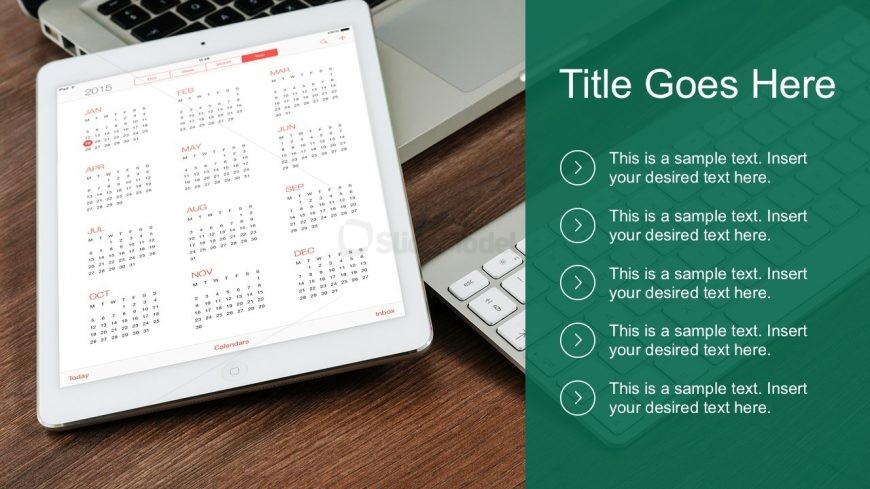
The layout features a prominent calendar displayed on a tablet positioned on a wooden surface. The calendar occupies the left side, while the right side contains a green background with a title placeholder at the top. Below the title, there are five circular icons aligned vertically, each accompanied by text placeholders. The icons are evenly spaced and serve as visual markers for the corresponding text. The overall structure is balanced, with a clear division between the calendar and the text area, creating a cohesive visual hierarchy.
How to Use It
This layout serves as a visual schedule or agenda, ideal for presentations that require a timeline or calendar overview. It fits well in a sequence following an introduction or problem statement, providing a clear visual reference for upcoming events or deadlines. This structure is useful in business contexts such as project planning, event scheduling, or team meetings, where clarity in time management is essential.
Text Placeholders & Capacity
Keep your copy within these limits so it fits without resizing. Text slots can accommodate a moderate amount of content, roughly 5-7 words each.
| Placeholder | Count | Max characters (approx.) |
|---|---|---|
| Slide title | 1 | 30 |
| Item body | 5 | 50 |
Slide Keywords
Download unlimited PowerPoint templates, charts and graphics for your presentations with our annual plan.
DOWNLOADReturn to Innovative PowerPoint Themes Layouts.