Slide 9 of 16 from Free Thin Dark Minimal General Purpose Template
Chapter Slide – Free Thin Dark Minimal General Purpose Template
Chapter Title Layout for Presentations
- Diagram
- Other
- Section Divider Slide
- 16:9
- 100% Editable
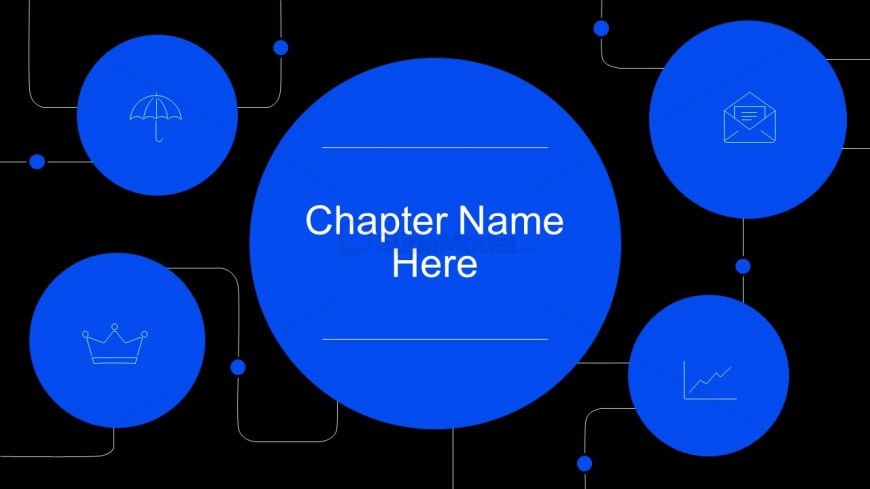
The Chapter Title Layout from the Free Thin Dark Minimal General Purpose Template is designed for effective chapter transitions and section introductions in presentations. Featuring a central blue circle with a text placeholder and surrounding icons, this layout enhances thematic shifts and provides a clear visual hierarchy, making it ideal for business presentations and educational contexts.
What’s on This Slide
The slide features a central large blue circle containing a text placeholder for the chapter name, positioned centrally. Surrounding this circle are four smaller blue circles, each containing different icons: an umbrella, a crown, an envelope, and a line graph. These smaller circles are connected to the central circle with thin lines, creating a network-like appearance. The background is black, enhancing the visibility of the blue elements. The text placeholder is centered within the main circle, while the icons are evenly distributed around it, contributing to a balanced visual hierarchy.
How to Use It
This layout serves as a chapter title slide, ideal for transitioning between sections in a presentation. It fits well after introductory content and before detailed discussions, helping to signify a shift in focus. This structure is useful in business presentations, educational contexts, or any scenario where clear chapter divisions enhance understanding. It can be employed to introduce new topics or themes, making it suitable for reports, proposals, or training sessions.
Text Placeholders & Capacity
Keep your copy within these limits so it fits without resizing. The chapter title slot can accommodate about 30 characters comfortably.
| Placeholder | Count | Max characters (approx.) |
|---|---|---|
| Slide title | 1 | 30 |
| Item heading | 4 | 15 |
Slide Keywords
Download unlimited PowerPoint templates, charts and graphics for your presentations with our annual plan.
DOWNLOAD