Slide 5 of 5 from Free Roadmap Slides for PowerPoint
FF0026-01-roadmap-slides-5
Fully-Editable Road Signs for Presentations
- Media Layout
- Other
- Process Slide
- 16:9
- 100% Editable
The Fully-Editable Road Signs slide from the Free Roadmap Slides for PowerPoint template offers a clear visual tool for illustrating navigation options and strategic pathways. This slide layout includes editable shapes and vector icons designed to enhance business presentations and pitch deck templates by summarizing key decisions with intuitive road sign imagery.
What’s on This Slide
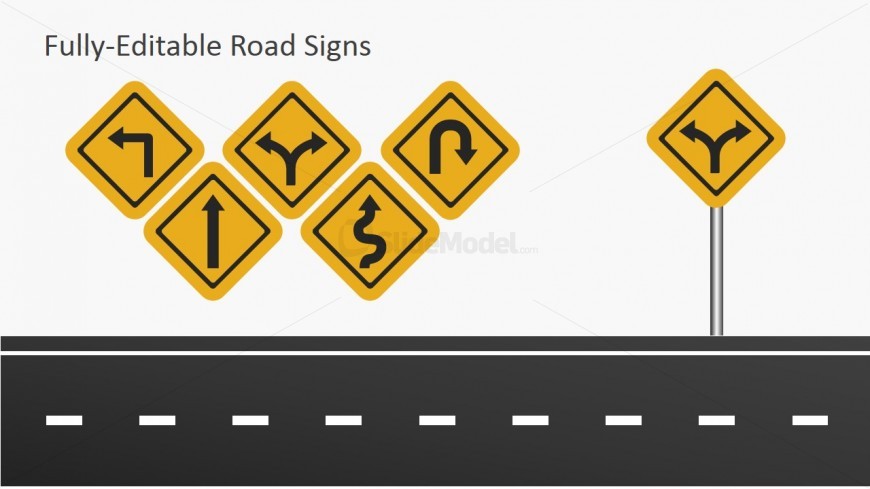
The slide features a collection of five road sign icons arranged in a cluster on the left side, with a single standalone road sign on the right. The signs are yellow diamond shapes with black symbols indicating various directions. The background is white, and the bottom section displays a black road with dashed white lines. The text placeholder at the top is centered and labeled 'Fully-Editable Road Signs.' The overall layout emphasizes the road signs, creating a clear visual hierarchy with the title above.
How to Use It
This layout serves to visually represent various road signs, making it suitable for presentations on navigation, direction, or strategic pathways. It fits well at the conclusion of a presentation, summarizing key points or illustrating options. This slide can be used in business contexts where decision-making paths or strategic directions are discussed, such as project planning or marketing strategies.
Text Placeholders & Capacity
Keep your copy within these limits so it fits without resizing. Title slot can hold about 5-6 words comfortably.
| Placeholder | Count | Max characters (approx.) |
|---|---|---|
| Slide title | 1 | 30 |
Slide Keywords
Download unlimited PowerPoint templates, charts and graphics for your presentations with our annual plan.
DOWNLOADReturn to Free Roadmap Slides for PowerPoint.