Slide 1 of 1 from Free Process Description Slide for PowerPoint
7012-01-process-description-slides-for-powerpoint-16×9-1
Five-Phase Process Description Slide
- Diagram
- Other
- Process Slide
- 16:9
- 100% Editable
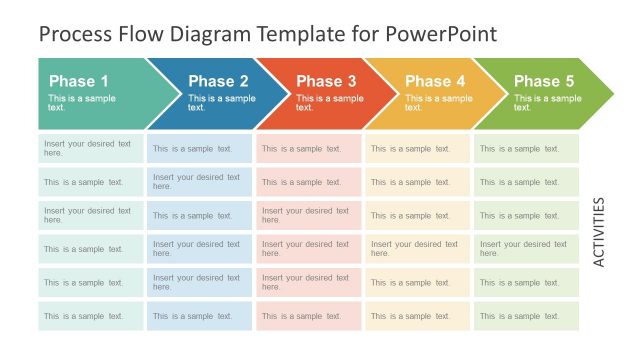
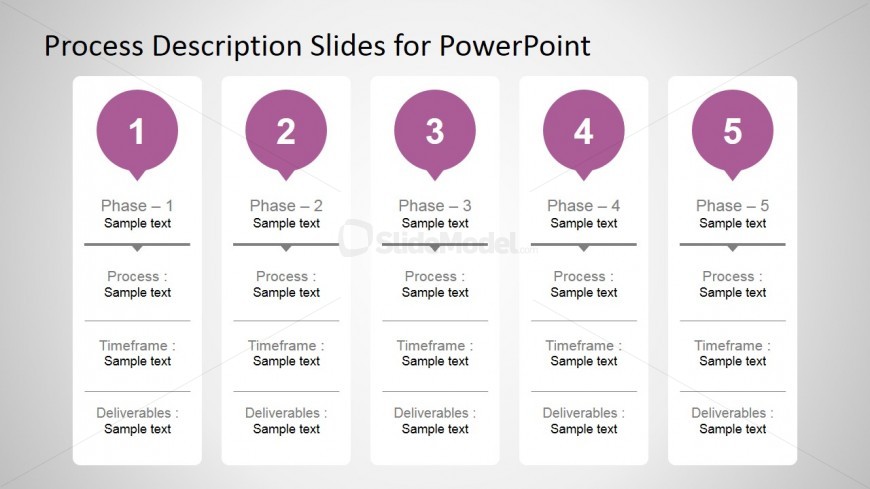
The Five-Phase Process Description slide from the Free Process Description Slide for PowerPoint template offers a structured layout ideal for project management and process improvement presentations. This slide template uses five vertical tiles to clearly outline sequential phases, making it a practical choice for business presentations that require detailed process explanations. Its clean design supports the use of editable shapes and vector icons to enhance clarity in operational workflows within corporate slide decks.
What’s on This Slide
The layout features five vertical tiles arranged in a row, each representing a phase of a process. Each tile contains a circular marker at the top with a number indicating the phase, followed by a title labeled 'Phase - X.' Below the title, there are three sections labeled 'Process,' 'Timeframe,' and 'Deliverables,' each with placeholder text. The tiles are evenly spaced and aligned, with a light background that enhances readability. The overall structure is clean and organized, emphasizing the sequential nature of the phases.
How to Use It
This layout serves as a process description tool, ideal for outlining steps in project management or operational workflows. It fits well in presentations that require clarity in sequential phases, such as project planning or process improvement discussions. The structured format allows for easy comparison of each phase's components, making it suitable for business scenarios where detailed descriptions of processes are necessary. It is best used in contexts where a clear, linear progression is being communicated.
Text Placeholders & Capacity
Keep your copy within these limits so it fits without resizing. Node body slots can hold approximately 10-15 words each.
| Placeholder | Count | Max characters (approx.) |
|---|---|---|
| Item heading | 5 | 20 |
| Item body | 15 | 50 |
Slide Keywords
Download unlimited PowerPoint templates, charts and graphics for your presentations with our annual plan.
DOWNLOAD