Slide 1 of 3 from Free Pricing & Plans Table Slides for PowerPoint
Free PowerPoint of Pricing Table
Simple Pricing Table for Presentations
- Table
- Pricing Table
- Pricing Slide
- 16:9
- 100% Editable
The Simple Price Table slide from the Free Pricing & Plans Table Slides for PowerPoint template offers a clear layout for comparing service tiers or product pricing. This slide template features editable shapes and icons that help present pricing strategies effectively in business presentations or pitch decks. Its organized structure supports easy customization within PowerPoint templates or Google Slides templates, making it suitable for corporate presentations focused on pricing and product offerings.
What’s on This Slide
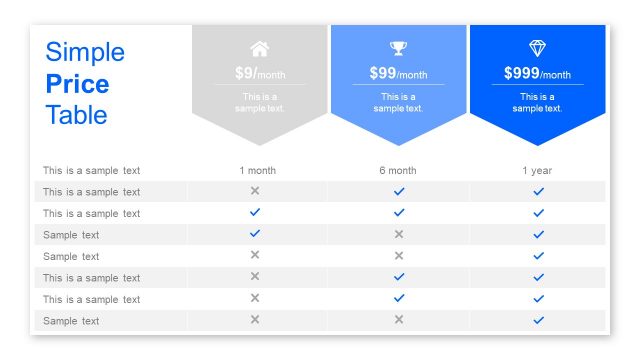
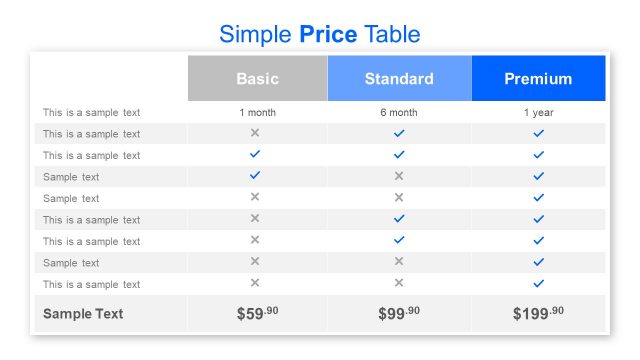
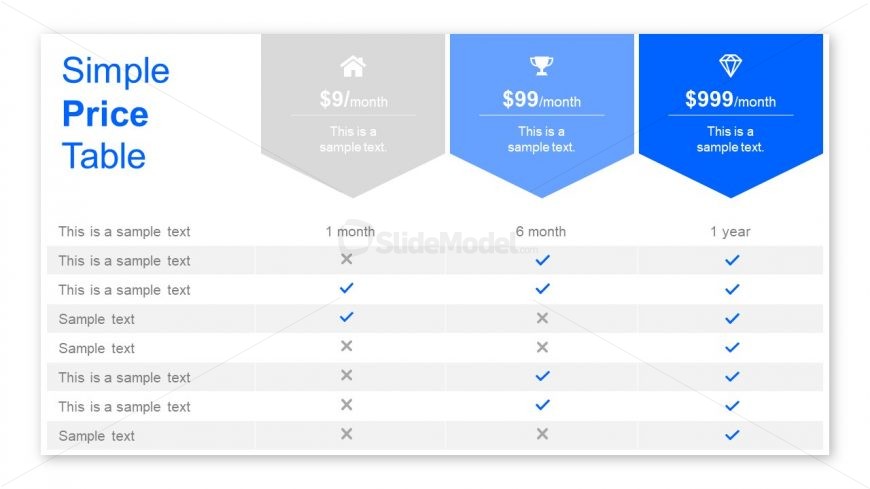
The layout features a pricing table with three columns, each representing different pricing tiers. The first column is gray with a house icon, the second column is blue with a trophy icon, and the third column is dark blue with a diamond icon. Each column includes a price and a brief description. Below the headers, there are rows with checkmarks and text placeholders aligned left. The table is structured with clear boundaries, and the background is white, enhancing readability. The overall design is clean and organized.
How to Use It
This layout serves as a pricing comparison table, ideal for showcasing different service plans or product tiers. It fits well in presentations discussing pricing strategies, product offerings, or service comparisons. This structure is useful for businesses needing to present pricing clearly and effectively. It can be used in sales pitches, marketing materials, or financial overviews to help clients understand options at a glance.
Text Placeholders & Capacity
Keep your copy within these limits so it fits without resizing. Body slots can hold about 5-6 words each.
| Placeholder | Count | Max characters (approx.) |
|---|---|---|
| Slide title | 1 | 20 |
| Body paragraph | 6 | 30 |
| Column header | 3 | 15 |
Slide Keywords
Download unlimited PowerPoint templates, charts and graphics for your presentations with our annual plan.
DOWNLOAD