Slide 12 of 14 from Free Navigational Zoom Roadmap PowerPoint Template
Free Data Driven PowerPoint
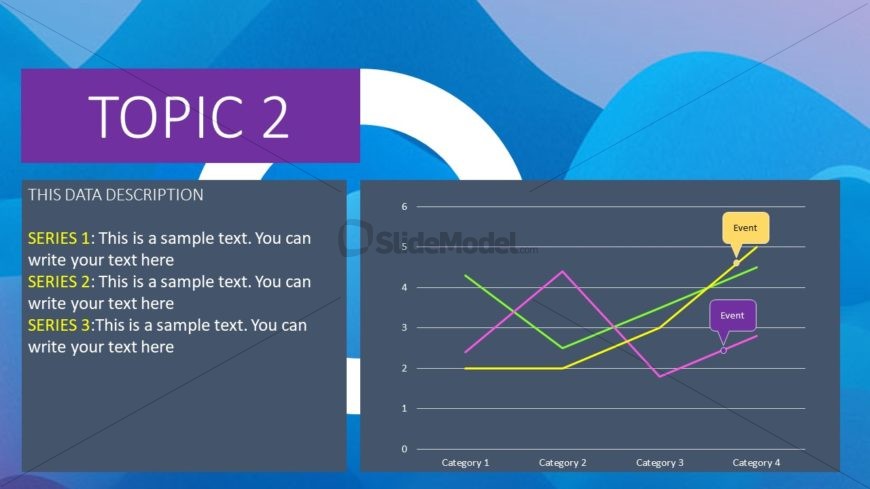
Line Chart with Data Description Slide
- Chart
- Line Chart
- Evaluation Slide
- 16:9
- 100% Editable
The Line Chart with Data Description slide from the Free Navigational Zoom Roadmap PowerPoint Template offers a clear visual for trend analysis and performance tracking. This slide template integrates editable shapes and vector icons to highlight key data points, making it suitable for business presentations and market comparison reports. Its design supports effective communication of complex data through a combination of text placeholders and a multi-series line chart, ideal for corporate presentation slide decks.
What’s on This Slide
The slide features a prominent title at the top center labeled 'TOPIC 2' in a large purple font. Below the title, there is a dark gray rectangular area on the left containing three text placeholders for data descriptions, each aligned vertically. To the right, a line chart displays three series represented by colored lines in green, pink, and yellow. The chart includes labeled axes with categories at the bottom and numerical values on the left. Two event markers are highlighted on the chart, indicating specific points of interest. The background features a gradient of blue and purple hues.
How to Use It
This layout serves as a data visualization tool, specifically for presenting trends over time or comparisons across categories. It fits well in a presentation sequence after introducing a topic or problem, providing analytical insights. This structure is useful in business scenarios such as performance tracking, market analysis, or project updates, where visual data representation enhances understanding. It can also be used in educational contexts to illustrate statistical findings or research results.
Text Placeholders & Capacity
Keep your copy within these limits so it fits without resizing. Body slots can accommodate roughly 15-20 words each.
| Placeholder | Count | Max characters (approx.) |
|---|---|---|
| Slide title | 1 | 20 |
| Body paragraph | 3 | 80 |
| Chart title | 1 | 30 |
| Axis label | 2 | 20 |
| Data label | 6 | 15 |
Slide Keywords
Download unlimited PowerPoint templates, charts and graphics for your presentations with our annual plan.
DOWNLOADReturn to Free Navigational Zoom Roadmap PowerPoint Template.