Slide 2 of 3 from Free Design Innovation Process for PowerPoint
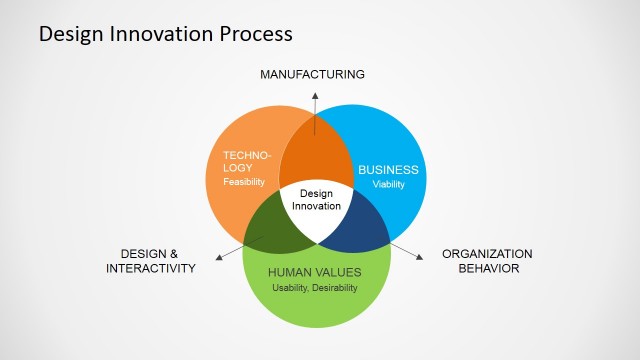
Technology Manufacturing and Business Slide
Design Innovation Process Overview
- Text Layout
- List Blocks
- Concept Explanation Slide
- 16:9
- 100% Editable
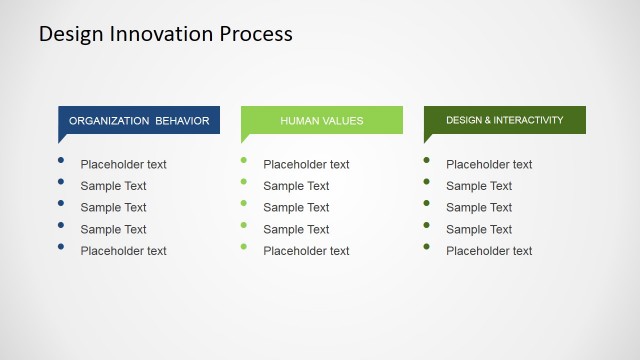
The Design Innovation Process slide from the Free Design Innovation Process for PowerPoint template offers a clear layout to compare key categories like technology, manufacturing, and business. This slide is ideal for business presentations and educational content, utilizing editable shapes and bullet points to organize information effectively within a professional slide deck.
What’s on This Slide
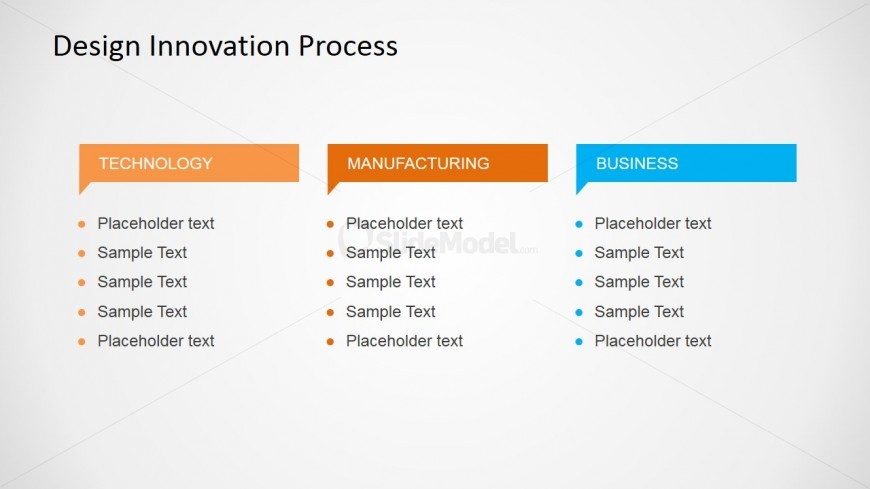
The layout features three vertical sections labeled 'TECHNOLOGY,' 'MANUFACTURING,' and 'BUSINESS,' aligned horizontally across the slide. Each section has a colored header with a rectangular shape, using orange for 'TECHNOLOGY,' orange for 'MANUFACTURING,' and blue for 'BUSINESS.' Below each header are bullet points arranged vertically, with placeholder text indicating where content can be added. The overall background is light, providing contrast to the colored headers. The visual hierarchy emphasizes the section headers, with bullet points serving as subordinate elements.
How to Use It
This layout serves as a comparative overview of three distinct categories related to the design innovation process. It fits well in a presentation sequence following an introductory slide, providing a structured way to present key points in each category. This format is suitable for business meetings, educational settings, or workshops where clear distinctions between topics are necessary, allowing for easy audience comprehension and engagement.
Text Placeholders & Capacity
Keep your copy within these limits so it fits without resizing. Node body slots can accommodate roughly 8-10 words each.
| Placeholder | Count | Max characters (approx.) |
|---|---|---|
| Slide title | 1 | 30 |
| Item heading | 3 | 20 |
| Item body | 15 | 50 |
Slide Keywords
Download unlimited PowerPoint templates, charts and graphics for your presentations with our annual plan.
DOWNLOAD