Slide 1 of 1 from Free Circular Multi-level Infographic Diagram for PowerPoint
Circular PowerPoint Multi-Level Diagram
Multi-Layer Circular Infographic Diagram for Presentations
- Diagram
- Circular Cycle
- Process Slide
- 16:9
- 100% Editable
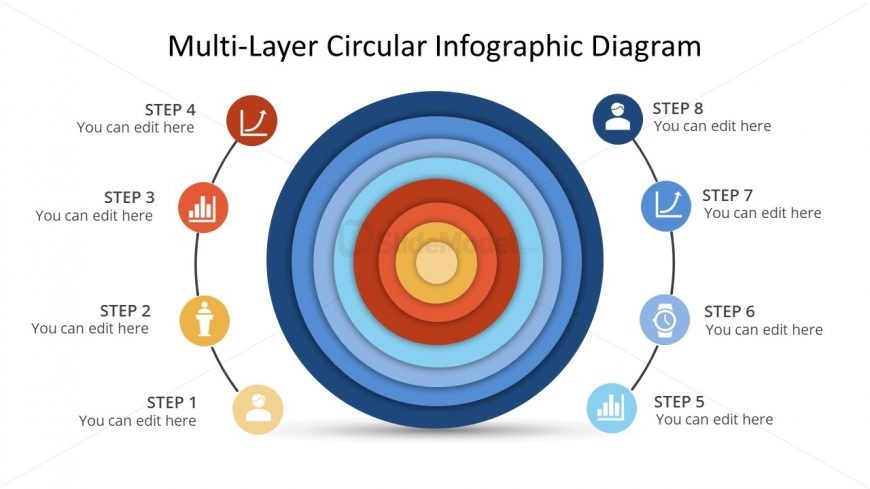
The Multi-Layer Circular Infographic Diagram slide from the Free Circular Multi-level Infographic Diagram for PowerPoint template offers a clear visual tool for illustrating processes and workflows. Designed with editable shapes and vector icons, this slide template supports business presentations by effectively displaying sequential steps in a circular format, enhancing comprehension in project management and strategic planning contexts.
What’s on This Slide
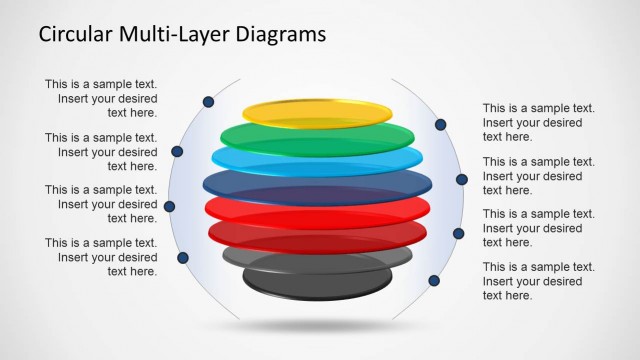
The layout features a central circular diagram with multiple concentric rings. Each ring is colored in shades of blue, red, and orange, creating a gradient effect. Surrounding the diagram are eight labeled steps, each represented by circular icons. These icons are positioned on the left and right sides of the diagram, with connecting lines leading to the corresponding rings. Text placeholders are present for each step, aligned horizontally next to the icons. The overall composition is symmetrical, emphasizing the central diagram with a clean white background.
How to Use It
This layout serves as a multi-layered infographic to illustrate processes or steps in a circular format. It is suitable for presentations that require a visual representation of sequential actions or stages. This structure fits well in a business context, such as project management, product development, or strategic planning. It can be used to convey complex information in a simplified manner, making it easier for audiences to grasp the relationships between different steps.
Text Placeholders & Capacity
Keep your copy within these limits so it fits without resizing. Node labels can hold around 20 characters each, while body text can fit about 30 characters.
| Placeholder | Count | Max characters (approx.) |
|---|---|---|
| Item heading | 8 | 20 |
| Item body | 8 | 30 |
Slide Keywords
Download unlimited PowerPoint templates, charts and graphics for your presentations with our annual plan.
DOWNLOADReturn to Free Circular Multi-level Infographic Diagram for PowerPoint.