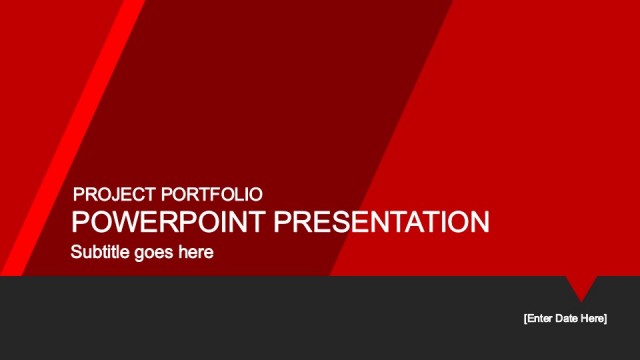
Slide 2 of 9 from Free Business Slides PowerPoint Template
Creative Business PowerPoint Free
Title and Subtitle Layout for Presentations
- Text Layout
- Single Statement
- Context Slide
- 16:9
- 100% Editable
The Title and Subtitle Layout from the Free Business Slides PowerPoint Template offers a clean, professional introduction slide ideal for business presentations, academic lectures, and conference openings. This slide template features editable shapes and a clear text hierarchy, making it easy to customize titles, subtitles, and speaker names within a well-structured slide deck.
What’s on This Slide
The layout features a dark background with a prominent title placeholder centered at the top. Below the title, a subtitle placeholder is aligned to the left, using a lighter blue font. A speaker name placeholder is positioned at the bottom left, maintaining a clear visual hierarchy. The title is large and bold, while the subtitle and speaker name are smaller and less emphasized. The overall composition is clean, with ample space around the text elements, allowing for easy readability and a professional appearance. No images or additional media placeholders are present.
How to Use It
This layout serves as an introductory slide, ideal for presenting the title and subtitle of a presentation. It fits well at the beginning of a presentation sequence, establishing the topic and speaker. Suitable scenarios include business pitches, academic lectures, or conference presentations where a clear introduction is necessary. This layout can be used individually or as part of a larger presentation to set the tone and context for the audience.
Text Placeholders & Capacity
Keep your copy within these limits so it fits without resizing. Title slot can hold about 6-8 words, subtitle about 10-12 words.
| Placeholder | Count | Max characters (approx.) |
|---|---|---|
| Slide title | 1 | 40 |
| Subtitle | 1 | 60 |
| Person name | 1 | 30 |
Slide Keywords
Download unlimited PowerPoint templates, charts and graphics for your presentations with our annual plan.
DOWNLOADReturn to Free Business Slides PowerPoint Template.