Slide 5 of 8 from Free Business Plan Template for PowerPoint
KIP Free PowerPoint Design
KPI Overview Slide for Business Plans
- Text Layout
- Other
- Evaluation Slide
- 16:9
- 100% Editable
The KPI Overview with Icons slide from the Free Business Plan Template for PowerPoint provides a structured format to display key performance indicators using editable shapes and vector icons. This slide template is ideal for business presentations aiming to highlight project achievements and track metrics clearly within a professional slide deck.
What’s on This Slide
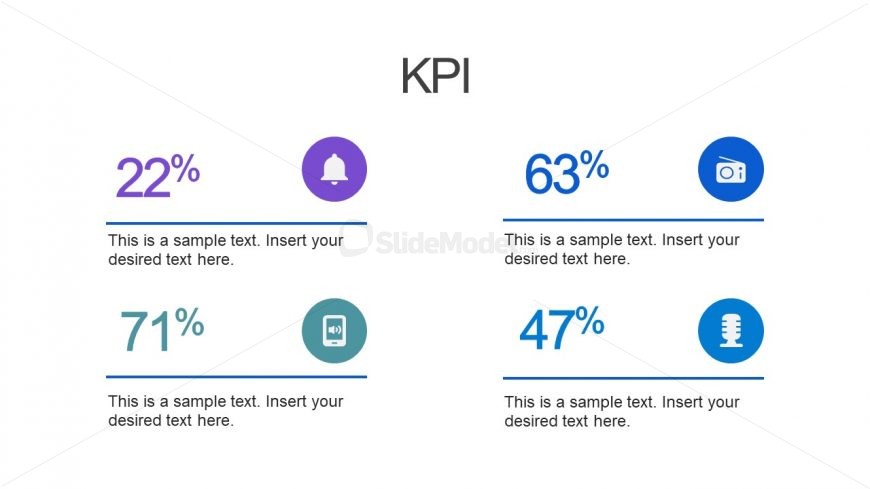
The slide features a title at the top center labeled 'KPI.' Below, there are two columns, each containing two sections. Each section displays a percentage value prominently, with a circular icon above it. The left column shows 22% with a bell icon and 71% with a device icon, while the right column shows 63% with a radio icon and 47% with a microphone icon. Each percentage is followed by a text placeholder for additional information, aligned centrally beneath the percentages. The overall layout is clean, with ample white space separating the elements.
How to Use It
This layout serves to present key performance indicators in a clear, comparative format. It is suitable for business presentations where tracking metrics is essential, such as performance reviews or project updates. Positioned after a problem slide, it effectively highlights progress or achievements. This structure can be utilized in various contexts, including marketing performance, sales metrics, or operational efficiency evaluations, making it versatile for different business scenarios.
Text Placeholders & Capacity
Keep your copy within these limits so it fits without resizing. Node body slots can accommodate about 10-12 words each.
| Placeholder | Count | Max characters (approx.) |
|---|---|---|
| Slide title | 1 | 20 |
| Item body | 4 | 50 |
Slide Keywords
Download unlimited PowerPoint templates, charts and graphics for your presentations with our annual plan.
DOWNLOADReturn to Free Business Plan Template for PowerPoint.