Slide 19 of 24 from Training Session PowerPoint Template
94304-01-training-session-powerpoint-template-16×9-19
Conversation Role Play Slide for Training Sessions
- Text Layout
- Other
- Learning Objective Slide
- 16:9
- 100% Editable
The Conversation Role Play slide from the Training Session PowerPoint Template offers a structured layout for communication training and interactive workshops. Designed with editable shapes and text placeholders, this slide supports role-playing exercises that enhance dialogue skills in corporate presentations and business presentations. Its clear format helps facilitators guide participants through practical conversations, making it a useful slide template for professional development sessions.
What’s on This Slide
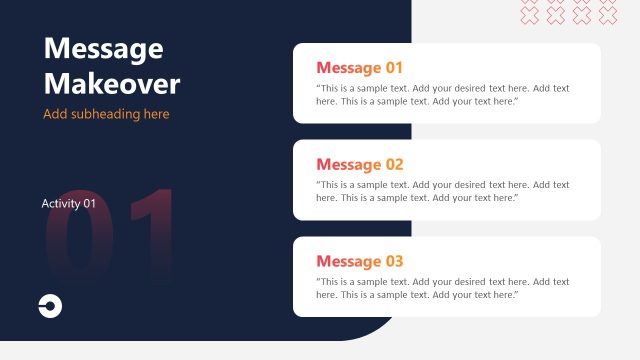
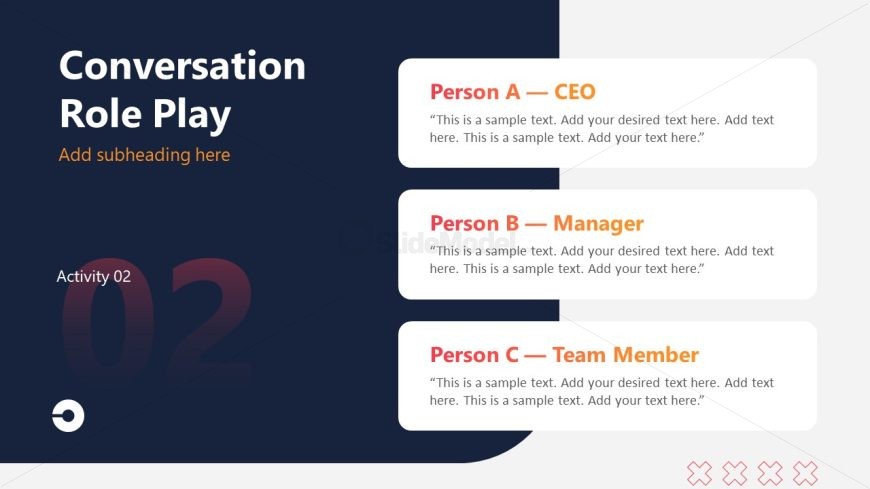
The layout features a dark blue background with a light gray section on the right. At the top left, a large title reads 'Conversation Role Play' in white, with a smaller orange subheading placeholder below it. Below, three rectangular containers are aligned vertically, each containing a person's name and title in bold, with a corresponding text placeholder for dialogue. The first container is labeled 'Person A - CEO', the second 'Person B - Manager', and the third 'Person C - Team Member'. Each text placeholder is aligned left and allows for multiple lines of text. At the bottom left, a large number '02' indicates the activity number.
How to Use It
This layout serves as a role-playing activity slide, ideal for training sessions focused on communication skills. It fits well in a sequence after introductory content, allowing participants to engage in practical exercises. This structure is useful for scenarios where participants practice conversations in various roles, enhancing active listening and dialogue skills. It is suitable for workshops, seminars, or courses aimed at improving interpersonal communication in professional settings.
Text Placeholders & Capacity
Keep your copy within these limits so it fits without resizing. Node body slots can accommodate roughly 20-25 words each.
| Placeholder | Count | Max characters (approx.) |
|---|---|---|
| Slide title | 1 | 40 |
| Subtitle | 1 | 30 |
| Item heading | 3 | 30 |
| Item body | 3 | 120 |
| Stage label | 1 | 20 |
Slide Keywords
Download unlimited PowerPoint templates, charts and graphics for your presentations with our annual plan.
DOWNLOADReturn to Training Session PowerPoint Template.