Online PPTX viewer
Open, read and present any .pptx in your browser. No PowerPoint, no upload, no account.
How to open a PPTX file without PowerPoint
Drop the file on this page and the slides appear in your browser. That is the whole answer to someone sent me a .pptx and I have no way to open it: no PowerPoint, no Office 365 account, no upload. SlideModel's online PPTX viewer reads the file on your own device and shows the slides as they were designed, with their shapes, text, images, icons, charts and backgrounds.
- Drop the .pptx file in. Drag it into the upload area, or tap to pick it. It opens in a second or two; nothing leaves your browser.
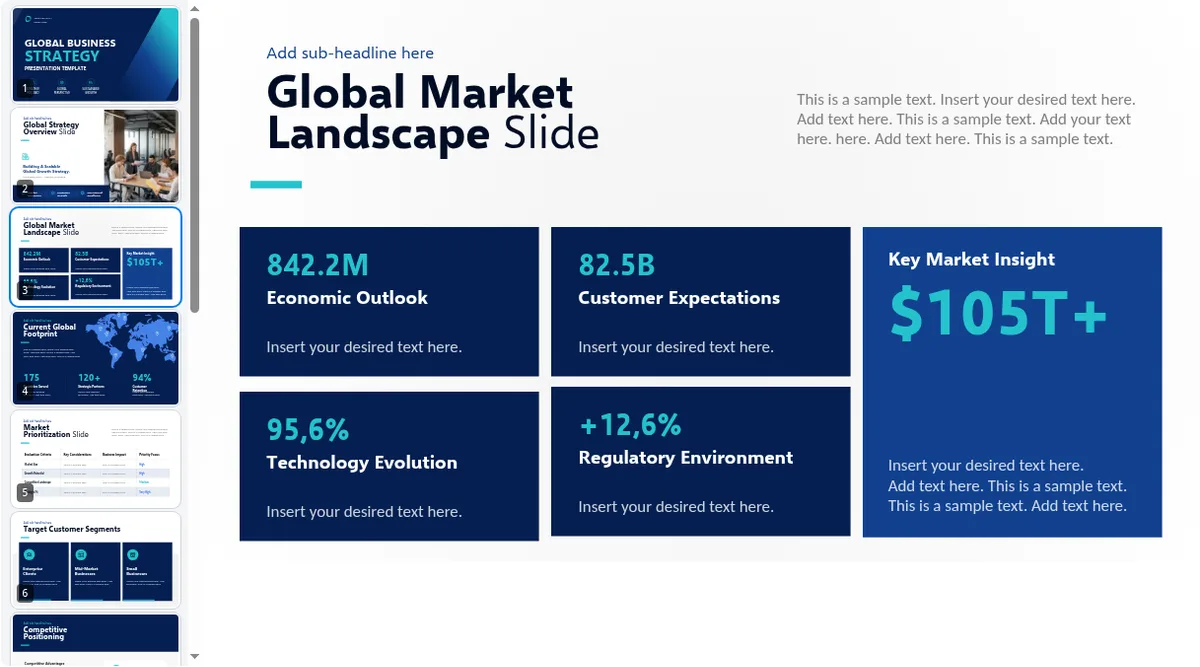
- Read the slides and notes. Click a thumbnail in the left rail, use the arrow keys, or type a slide number and press
Enter. PressNfor the speaker notes. - Present it. Press
Ffor fullscreen and the deck runs as a slideshow with PowerPoint's own shortcuts. PressSfor presenter view with notes, the next slide and a timer.
What is a .pptx file?
A .pptx file is a PowerPoint presentation in the Office Open XML format Microsoft introduced with PowerPoint 2007. Inside, it is a ZIP package: one XML part per slide, plus the slide layouts, masters, theme, speaker notes and the embedded images and media. Because the format is open and documented, programs other than PowerPoint can read it, which is what makes a browser-based viewer possible.
.ppt (PowerPoint 97–2003) |
.pptx (PowerPoint 2007 and later) |
|
|---|---|---|
| Format | Binary, proprietary | Open XML inside a ZIP package |
| Size | Larger | Smaller (compressed) |
| Robustness | Prone to corruption | Individual parts, easier to repair |
| Opens here | No, save as .pptx first | Yes, with .ppsx, .potx, .pptm, .ppsm, .potm |
Which program opens a .pptx file?
Any of these. What they ask of you is the difference:
| Program | Needs | Best for |
|---|---|---|
| Microsoft PowerPoint | A licence and an install | Editing with full fidelity |
| PowerPoint for the web | A Microsoft account; the file in OneDrive | Light edits online |
| Google Slides | A Google account; upload and conversion | Collaborative editing |
| Apple Keynote | A Mac, iPhone or iPad | Editing on Apple devices |
| LibreOffice Impress | A free install | Editing on any desktop |
| SlideModel PPTX Viewer | Nothing but a browser | Viewing, reading and presenting, privately |
PowerPoint Viewer is retired. This is the alternative
Microsoft's PowerPoint Viewer was a free program for opening and presenting decks on a computer without PowerPoint. Microsoft has retired it. According to Microsoft's support page on the Office viewers, the Word, Excel and PowerPoint Viewers "will no longer be available for download or receive security updates", and the recommended way to keep viewing Office files for free is to install the Office apps or store the documents in OneDrive or Dropbox so that PowerPoint Online can open them.
Every one of those routes asks for something: a licence, an account, an upload. This online PPTX viewer asks for none of them and covers what the old Viewer did.
| PowerPoint Viewer (retired) | Office apps | OneDrive / Dropbox + PowerPoint Online | Google Slides | SlideModel PPTX Viewer | |
|---|---|---|---|---|---|
| Open a .pptx | Yes | Yes | Yes | After conversion | Yes |
| Run the slideshow | Yes | Yes | Yes | Yes | Yes, with notes and a timer |
| Cost | Free (gone) | Licence | Free account | Free account | Free |
| File stays on your device | Yes | Yes | No | No | Yes |
| Install required | Yes | Yes | No | No | No |
| Still available | No | Yes | Yes | Yes | Yes |
A PPTX reader, not just a preview
A cloud-storage preview shows you pictures of slides. This is a reader: it opens the deck's structure, so you get what a reviewer actually needs.
- Speaker notes. Press
N, or open presenter view, and read the notes the author wrote for each slide. Often the fastest way to understand what a slide is really saying. - Hidden slides. Listed in the thumbnail rail and marked as hidden; skipped by next and previous exactly as PowerPoint skips them.
- Thumbnails. The whole deck at a glance in the left rail; click to jump.
- Hyperlinks. Links inside slides open when clicked.
- Any device. Windows, Mac, Linux, Chromebook, iPhone and Android, with the same file and no install.
Present the slideshow without PowerPoint
Viewing is half the job; the other half is standing in front of people. The viewer includes a real slideshow mode with PowerPoint's own keys:
| Key | What it does |
|---|---|
F |
Fullscreen slideshow: the slide fills the screen, the toolbar fades out |
→ Space PgDn Enter |
Next slide |
← PgUp Backspace |
Previous slide |
Home / End |
First / last slide |
a number, then Enter |
Jump to that slide |
B / W |
Black or white screen while you take a question |
S |
Presenter view: speaker notes, next slide, elapsed time |
N / G |
Speaker notes / slide thumbnails |
L (hold) / P |
Laser pointer / pen |
? |
Every shortcut, on screen |
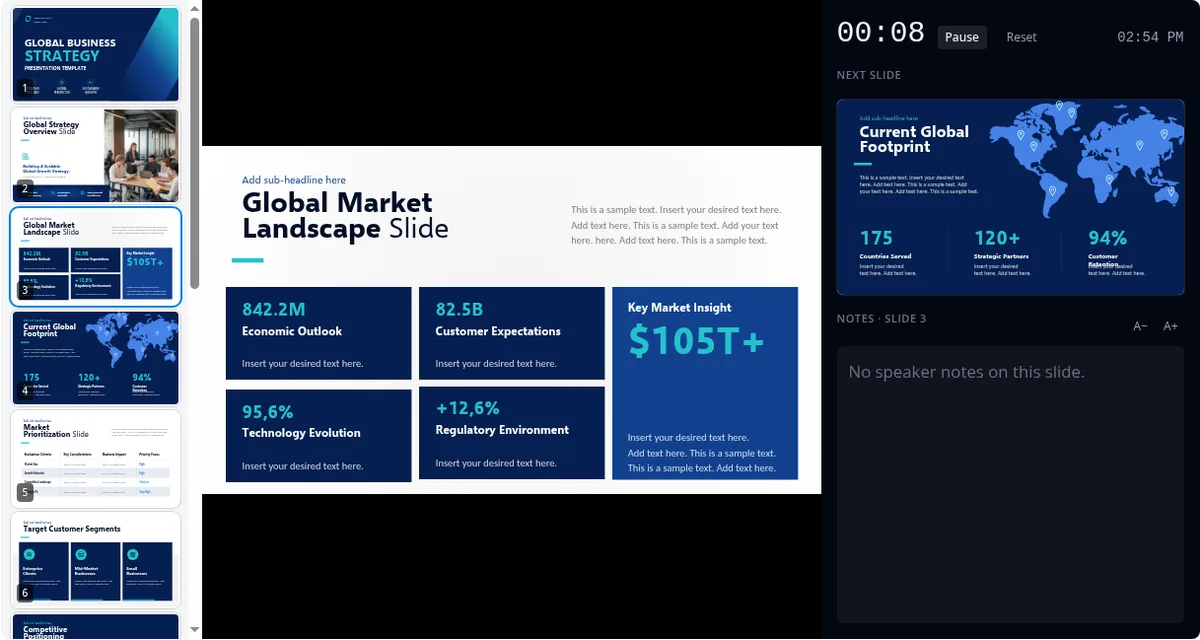
On a video call, share your screen or the browser tab and the audience sees the slides alone.
What renders, and what we tell you about
A viewer that draws a slide wrong and says nothing is worse than no viewer, so this one is explicit about its limits. Rendering is done by SlideModel's own engine, which reads the PowerPoint file directly, resolves the theme, slide masters and layouts the way PowerPoint does, and draws each slide in the browser.
| Rendered from the file | Shown as a placeholder or skipped |
|---|---|
| Text with fonts, sizes, colours, bullets and alignment | SmartArt graphics |
| Shapes, lines, connectors, freeform drawings, rotations | Embedded Excel, Visio and other OLE objects |
| Solid, gradient and picture fills; theme colours | Audio and video clips |
| Images, cropped pictures, SVG icons | Glow, reflection, soft-edge and 3-D effects |
| Slide, layout and master backgrounds and decoration | Some rarer chart types (values are listed instead) |
| Tables, doughnut, pie, bar, column, line and area charts | Animations and transitions (slides show their final state) |
| Speaker notes, hidden-slide flags, hyperlinks |
When a deck contains anything from the right-hand column, a note above the slides says so (which slides, and what to expect) before you present.

Fonts without Office installed
The single biggest reason a deck "looks different" on another machine is fonts: Calibri, Cambria and Segoe UI ship with Windows and Office, not with the web. The viewer includes metric-compatible open fonts, with the same character widths and therefore the same line breaks, for the families most decks use:
| The deck asks for | The viewer uses when it's not installed |
|---|---|
| Calibri, Calibri Light | Carlito |
| Cambria | Caladea |
| Arial, Helvetica | Arimo |
| Times New Roman | Tinos |
| Courier New | Cousine |
| Georgia | Gelasio |
| Segoe UI (Light, Semilight, Semibold) | Selawik |
If the font is installed on your computer, it is used. If a deck names a font outside this list, the browser substitutes the closest available one and the pre-show note names the family.
Your presentation never leaves your device
Most online PowerPoint viewers upload the file to a server, usually into an editor you are then invited to sign up for. This one does not. The file is unpacked and drawn entirely inside your browser tab; nothing is transmitted, logged or stored, and closing the tab removes it. Once the page has loaded it keeps working offline, so open it and your deck before you go on stage. That is the right default for board decks, proposals, financials and anything under NDA, and every PowerPoint tool on SlideModel works the same way.
Viewer or editor?
If you need to change the slides, use an editor: Google Slides online, LibreOffice Impress on a desktop, or PowerPoint itself. If you need to view, read or present a deck you were given, privately, without an account, on whatever machine is in front of you, use this. And if you are about to build a deck rather than open one, start from our PowerPoint templates.
Who this tool is for
- Someone emailed you a .pptx and you don't have PowerPoint. The most common case by far.
- You present from a borrowed or locked-down machine: a venue laptop, a Chromebook, a tablet.
- You review client decks on calls and want the notes without opening an editor.
- You study from lecture slides on any device.
- You use a Mac or Linux and would rather not install Office to look at a file.
Every PowerPoint file tool on SlideModel
The viewer is the front door. The rest of the toolkit works the same way, in your browser, with nothing uploaded:
- PowerPoint Compressor shrinks a heavy deck without visible loss.
- PowerPoint File Repair rebuilds a deck PowerPoint refuses to open.
- Speaker Notes Extractor pulls every note out as text.
- Image Extractor saves the pictures inside a deck.
- PowerPoint Merger combines several decks into one.
- PowerPoint Font Replacer swaps a missing font across a whole deck.
- PowerPoint Metadata Inspector shows what a deck reveals about its author.
- PDF Presenter presents a PDF export the same way.
Frequently asked questions
How do I view a PPTX file without PowerPoint?
Open this page, drop the .pptx file into the upload area (or tap to pick it) and the slides appear in your browser within a second or two. Press F to view them fullscreen, use the arrow keys to move between slides, and press S for presenter view with speaker notes. Nothing is installed and nothing is uploaded; the file is read on your own device.
What program opens a .pptx file?
Microsoft PowerPoint opens .pptx files natively, and so do PowerPoint for the web (with a Microsoft account and OneDrive), Google Slides (with a Google account, after uploading and converting), Apple Keynote on a Mac or iPhone, and LibreOffice Impress on any desktop. If you only need to view, read or present the file rather than edit it, this online PPTX viewer opens it in your browser with no program, account or upload.
Is this a replacement for Microsoft PowerPoint Viewer?
Yes. Microsoft retired the free PowerPoint Viewer application; it can no longer be downloaded and no longer receives security updates. Microsoft's own advice is to install the Office apps or store files in OneDrive or Dropbox so PowerPoint Online can open them. This viewer does the same job, opening and presenting a .pptx, without a licence, an account or an upload.
What is the difference between PPT and PPTX?
.ppt is the binary format PowerPoint used until 2007. .pptx is the Open XML format used since: a ZIP package of XML parts and media that is smaller, less prone to corruption and readable by many programs. This viewer reads the modern .pptx family (.pptx, .ppsx, .potx and their macro-enabled variants). To open an old .ppt, save it as .pptx first in PowerPoint, Google Slides or LibreOffice.
Is this PPTX viewer really free?
Yes. Viewing and presenting a deck costs nothing and needs no account. Anonymous visitors can open decks up to 5 MB in full (larger decks show the first three slides until you sign in), a free SlideModel account raises the limit to 25 MB, and Pro subscribers can open decks up to 100 MB.
Is my presentation uploaded anywhere?
No. The file is unpacked and rendered entirely in your browser tab. It is never sent to our servers or anyone else's, nothing is logged about its contents, and closing the tab removes it. That matters for board decks, client proposals and anything under NDA, and it is the difference between this viewer and the ones that upload your deck to an editor.
Can I use it as a PPTX reader for speaker notes?
Yes. Press N to show the current slide's notes under the slide, or S for presenter view, where the notes appear beside the slide in large, adjustable type together with the next slide and a timer. Hidden slides are listed in the thumbnail rail and marked as hidden.
Can I present a slideshow without PowerPoint?
Yes. Press F for fullscreen and the deck runs as a slideshow controlled with PowerPoint's own keys: arrows and space to advance, B for a black screen, W for white, Home and End for first and last slide. Share your screen or browser tab in Zoom, Google Meet or Teams and the audience sees only the slides.
Does it work on a Mac, Linux, a Chromebook or a phone?
Yes, on anything with a modern browser. On a phone or tablet, tap to pick the file, swipe between slides and tap the centre of the screen to show or hide the toolbar. Presenter view and the thumbnail rail are designed for larger screens.
Will my slides look exactly like they do in PowerPoint?
Very close for most decks, and we tell you where they won't. Text, shapes, images, icons, gradients, backgrounds, tables and common charts are drawn from the file itself. SmartArt, embedded Excel objects, video and a few effects such as glow and 3-D are shown as placeholders, and animations and transitions do not play (slides appear in their final state). When a deck contains any of these, a note above the slides lists them before you present.
What happens to fonts that aren't installed on my computer?
The viewer ships metric-compatible open fonts for the families most decks use (Calibri, Cambria, Arial, Times New Roman, Courier New, Georgia and Segoe UI), so line breaks and text sizes match the original even on a machine without Microsoft Office. If a deck uses a font we can't match, the browser's closest font is used and the pre-show note names it.
Can I edit the presentation here?
No. This is a viewer, reader and presenter. To change slides, use PowerPoint, Google Slides or LibreOffice Impress. If the file will not open in those, our Repair PPTX tool can often recover it.